

PLATFORM WORKFLOW
TASK DESCRIPTION: Exporting Pipeline Data as a Spreadsheet
OBJECTIVE: How to Export Pipeline Data as a Spreadsheet
ORGANIZATION: Under Admin or System User
SYSTEM PERMISSION LEVEL: System Admin or System User
Step 1:
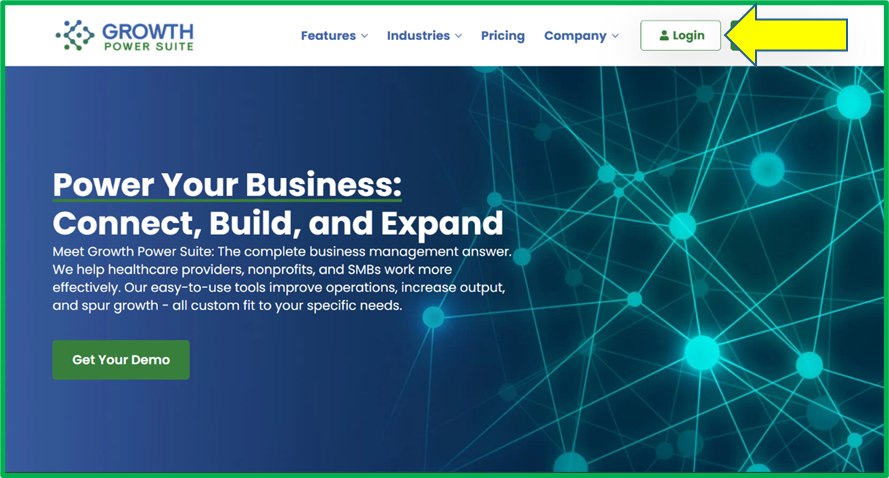
Go to www.growthpowersuite.com and click the green Login button.
Step 2:
Enter your username and password then click the blue Login button.

Step 3:
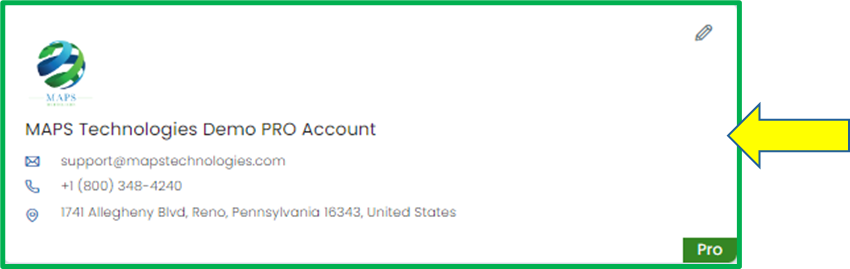
Click on your Organization (if you are in multiple organizations). If you are only in one, you will begin on the Dashboard.
Step 4:
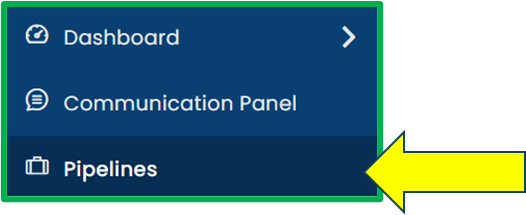
Click on the Pipelines module in the Module Menu Panel.
Step 5:
Click the Select a Pipeline dropdown and select the pipeline you wish to export as a CSV file.

Step 6:
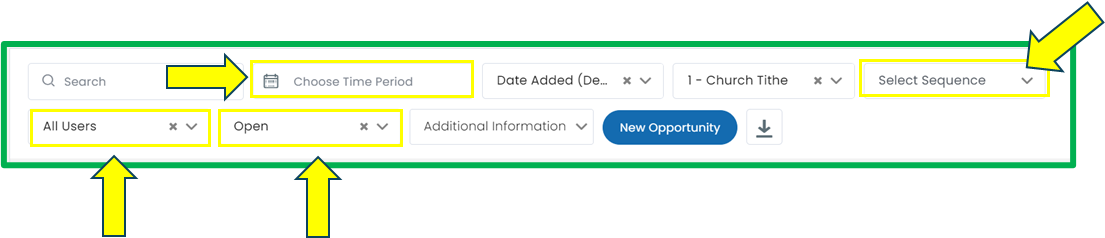
Once you have selected the pipeline you wish to export, you can choose to filter by opportunity status, opportunities assigned to a specific user, opportunities the have received a specific sequence, or opportunities that have entered the pipeline during a specific date range.
Step 7:
Once all appropriate filters have been applied, click the download button.
